Flight Logging
Log flights with tach, Hobbs, or Airswitch times, airports, landings, flight data prefill, and currency events.
Overview
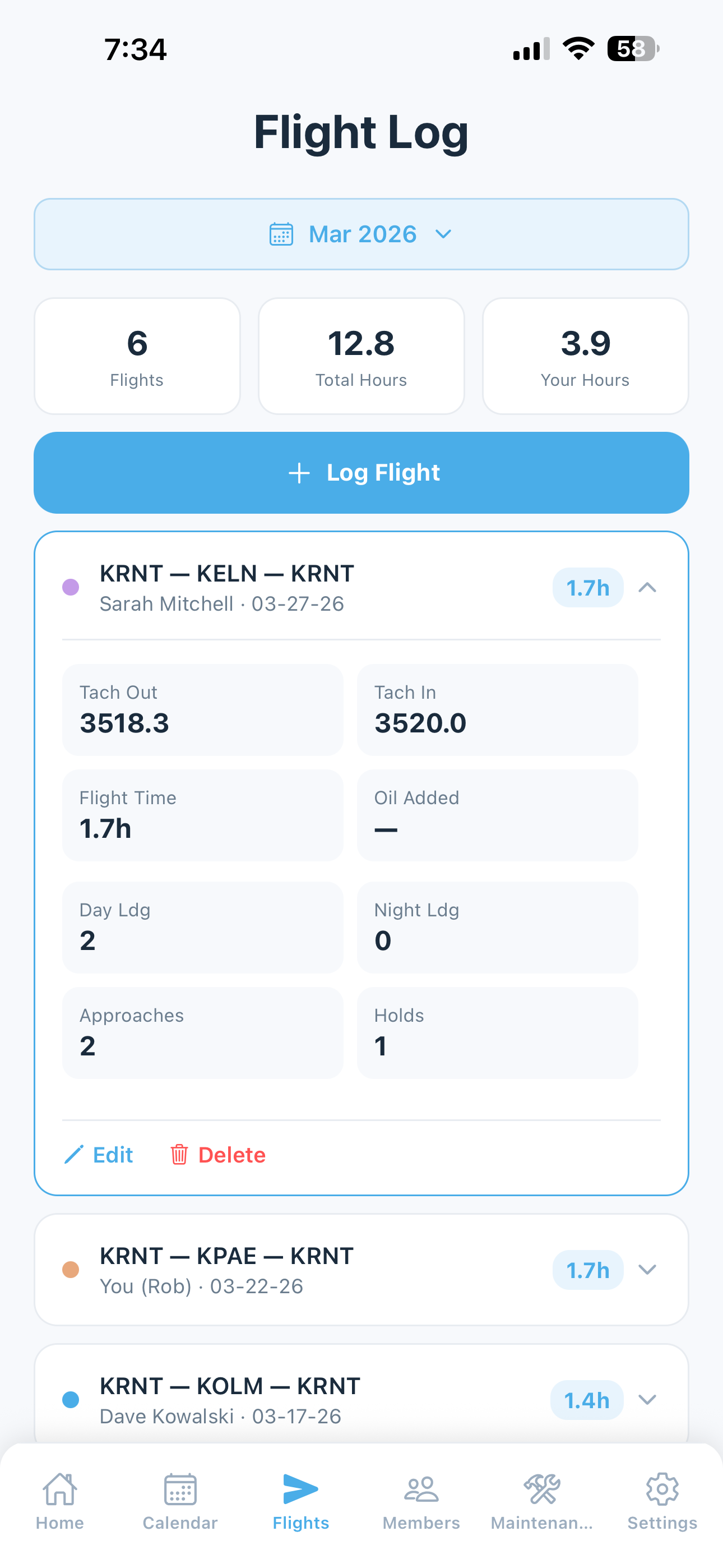
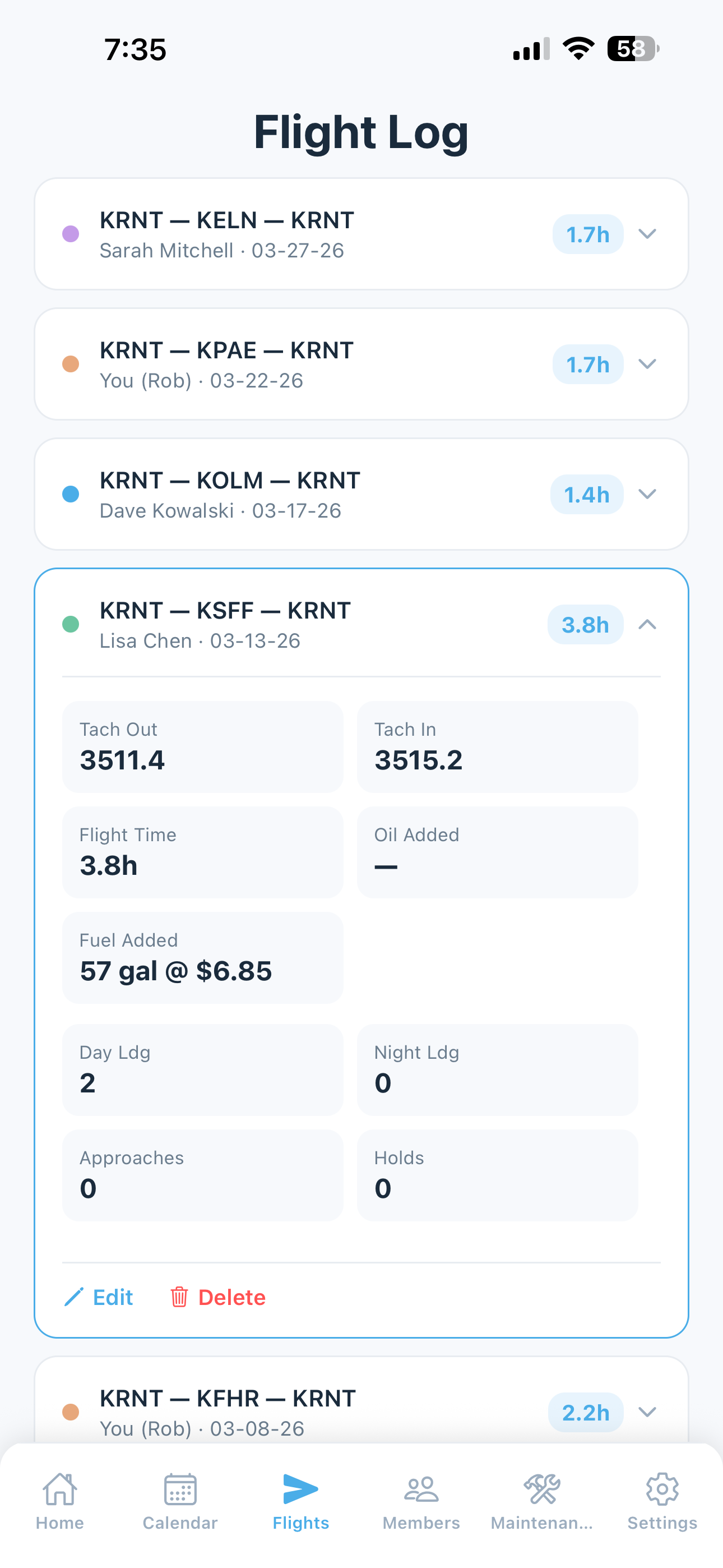
The Flights screen is where you record every flight. Each entry captures engine times (tach, Hobbs, or Airswitch depending on your group’s configuration), airports, landings, route, squawks, and currency events — everything needed to keep accurate records and track pilot currency automatically.
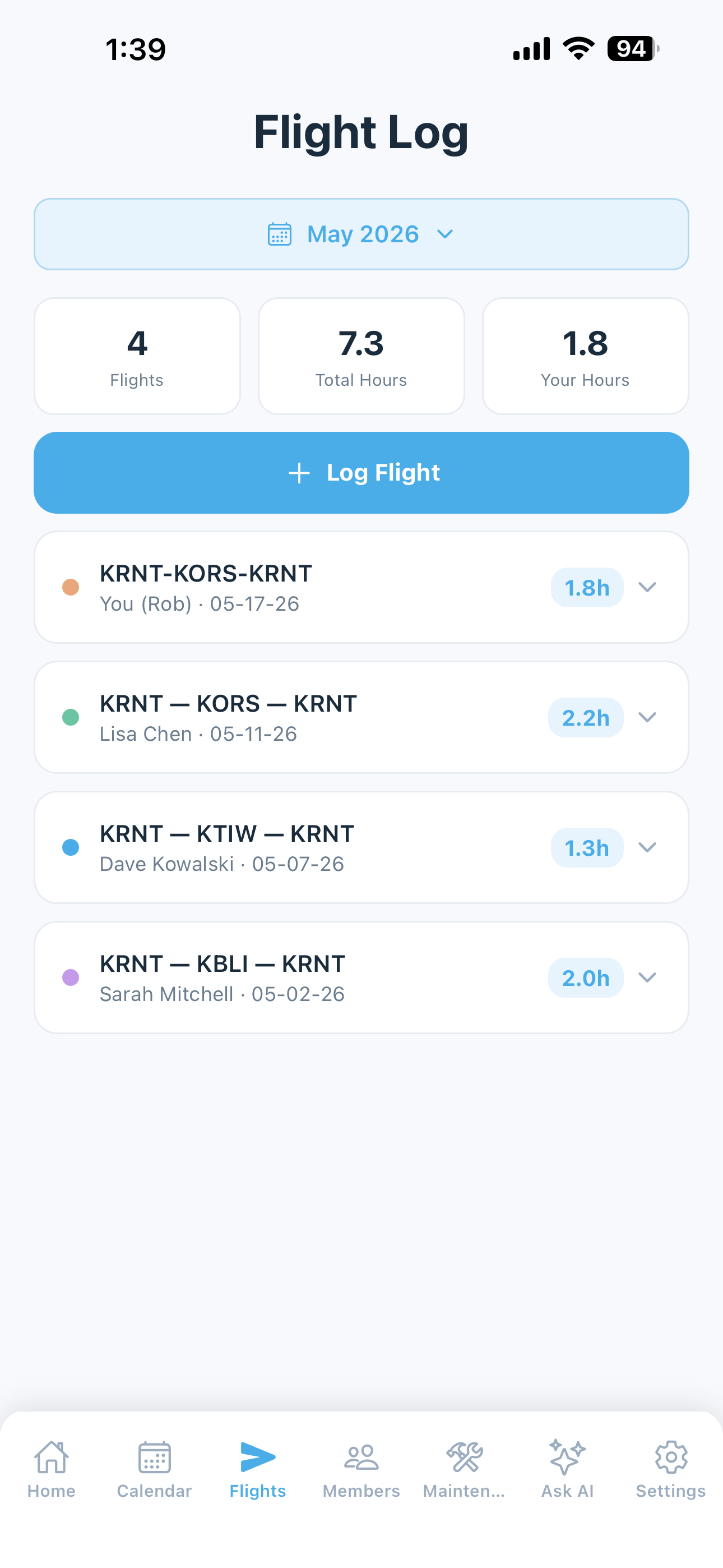
Tap any flight to expand and see the full details, or to edit or delete it.
Logging a Flight
To log a new flight:
- Tap Log Flight on the home screen, or tap + Log Flight on the Flights screen
- Fill in the Date (defaults to today) and Pilot (defaults to you)
- Enter the Route using the airport search. Enter an ICAO identifier or airport name.
- Your home airport pre-populates in the first slot but can be removed
- Additional airports can be added in sequence for multi-leg flights
- Tap Return to [home airport] to quickly add your home airport as the final leg
- Approximate distance and estimated time are shown based on aircraft cruise speed
- Tap any airport identifier to Open in EFB for review before logging — see EFB Integration
Flight Data Prefill (Paid plans)
5-by-5 can prefill most of the flight log for you. Open the log form, tap Prefill flight data (just above the route field), and the form fills in Route · Landings · Time (estimated tach/Hobbs in) — you confirm or edit, then save.
How it works. 5-by-5 looks up your flight in two passes, so a gap in one data source doesn’t mean no prefill:
- Public ADS-B feeds (primary: adsb.lol) — checked first using your tail number on the selected date. Covers most flights.
- FlightAware — used as a fallback over a broader date window, picks up flights the public feeds missed.
What you need to do. Nothing extra to enable — the feature is on for all paid plans and uses the tail number set in your aircraft profile. Just tap the button when you go to log a flight.
Multi-Flight Chooser
If you flew multiple flights on the same date, 5-by-5 shows a chooser with all flights it found so you can pick the right one:
- Each flight is shown with its origin, destination, and landing time
- Tap the one that matches the flight you’re logging
- The rest fill in automatically
Touch-and-Go Detection
5-by-5 uses adaptive thresholds against the cruise altitude and groundspeed to estimate landings and touch-and-goes — even without ADS-B Out at the destination. The detection is conservative; pattern work and slow go-arounds may not always be counted exactly, so verify the landing count before saving. You can adjust the number manually before submitting.
Estimated Tach/Hobbs Time
5-by-5 fills the tach-in (or Hobbs-in) field with an estimate based on the GPS track:
estimated tach-in = current tach-out + flight time + 0.2 hr
The +0.2 hr covers typical taxi, run-up, and post-landing taxi — time the engine was running but the wheels weren’t. Real tach delta varies based on airport size and pilot procedures, so the value is editable. The result card shows the calculated delta and the math behind it before you tap Apply; revise the tach-in field to your actual gauge reading before saving.
If you record by Hobbs rather than tach, the same math applies — the +0.2 offset is reasonable for both since neither matches wheels-up-to-wheels-down exactly.
For free-tier users: Tach prefill requires a starting tach-out value, which the paid tach cascade pre-fills automatically. On free tier, the estimated tach-in is skipped — enter your tach values manually.
Date Pre-Fill
Flight data prefill defaults to today’s date. To log a historical flight (yesterday, last week, etc.), set the Date in the flight log form first, then tap Prefill flight data. The lookup is scoped to the date you’ve selected.
Aircraft Time Tracking
5-by-5 supports three ways of tracking flight duration. You pick one in Settings > Aircraft, and the log form re-labels its fields to match:
- Tach time — engine RPM-based hours from the tachometer. The traditional measure most owner-flown GA aircraft use.
- Hobbs time — engine-running hours measured by oil pressure or master switch. Common in rental and partnership operations because it’s harder to game and matches block time more closely.
- Airswitch time — actual airborne time, triggered automatically when airspeed exceeds the airswitch’s threshold. Closest to wheels-up to wheels-down; useful for clubs that bill on flight time rather than engine time.
On paid plans, 5-by-5 manages your timeline automatically:
- Normal flight — the “out” reading (tach-out, Hobbs-out, or Airswitch-out) pre-fills from the previous flight’s “in” reading. You only need to enter the new “in” reading.
- Inserting a flight between existing flights — a warning is shown that you’re inserting into the existing timeline. You enter the “in” reading normally; when you save, the app asks whether you want to shift earlier flights back or later flights forward to maintain continuity.
- Adding historical data before your starting reading — you enter the flight duration directly (in hours) and the app calculates the “in” and “out” values automatically.
On the free plan, you enter both “out” and “in” readings manually for every flight.
Oil, Fuel, and Fuel Cost
Each flight log includes optional fields for:
- Oil Added — quarts of oil added during or after the flight. Visible in the flight detail and useful for tracking consumption trends over time.
- Fuel Added — gallons of fuel added. Logged for reference and expense tracking.
- Fuel Cost (per gallon) — the price paid per gallon. Combined with fuel added, this feeds into cost tracking on the web dashboard.
Landing & Currency Tracking
For each flight you can record:
- Day landings — count toward 90-day passenger-carrying currency
- Night landings — count toward night passenger-carrying currency (and also toward day currency)
- Instrument Approaches — count toward IFR currency
- Instrument Holds — count toward IFR currency
- Cross-country flag — automatically set when the flight track crosses 50 nautical miles straight-line from takeoff. Can be manually toggled.
These update your currency status automatically.
Note: 5-by-5 currency calculations are approximate aids only. See the note at the bottom of the Pilot Currency page for the full disclaimer.
See Pilot Currency for full details.
Squawks from Flights
If you notice a discrepancy during a flight, you can report it directly from the flight log:
- Scroll to the Squawks section on the flight form
- Tap Add Squawk
- Select severity: Minor, Monitor, or Grounding
- Describe the issue
- Optionally attach a photo (paid tiers)
Grounding squawks immediately appear as a red alert on every group member’s home screen. Within seconds, mechanics and members with a Maintenance Officer title receive an email alert so they can act on it.
See Squawk Reporting for details.
Comments
Free-text field for any notes about the flight you want to keep in the record.
Maintenance / Group Expense
Some flights are a shared group cost rather than one pilot’s personal charge — for example, flying to a maintenance facility or a post-annual check flight. Checking Maintenance / Group Expense (Club plans):
- The pilot still receives credit for flights, hours, and currency events
- The flight does not count toward that pilot’s estimated monthly bill
EFB Integration
Tap any airport identifier or the full route on a logged flight to open it in your EFB. See EFB Integration.
Importing Historical Flights
If you have years of flight data in ForeFlight, Garmin Pilot, or a spreadsheet, you can bulk-import on the Settings > Import Historical Flights screen or on the web dashboard. See Importing Data.
Tip: On Club plans, you can convert a booking directly into a logged flight. Open the booking from the calendar and tap Log Flight — dates pre-fill automatically. This option appears once the booking's end date is today or earlier.
Important: 5-by-5 is not an FAA-approved logbook. Flight records in 5-by-5 are for convenience and group coordination. You must maintain a separate, compliant pilot logbook as required by your aviation authority.