Pilot Currency
Monitor your regulatory currency status with automatic calculations from logged flights.
Overview
5-by-5 automatically calculates your pilot currency based on the flights you log. The currency section on the home dashboard shows your status at a glance — so you know immediately if you’re current to fly.
What’s Tracked
5-by-5 tracks the following currency requirements. The references below are for US (14 CFR); if your group is set to Australia, the equivalent references in CASR Part 61 are shown in-app and most thresholds are identical.
Day Passenger-Carrying Currency
- Regulation: 14 CFR 61.57(a)
- Requirement: 3 takeoffs and landings in the preceding 90 days in the same category/class
- Landings: Touch-and-goes count for tricycle gear aircraft. Tailwheel aircraft require full-stop landings.
- Based on: Day landings logged in your flights
- Status: Shows current count vs. required (e.g., “5/3 landings”)
Night Passenger-Carrying Currency
- Regulation: 14 CFR 61.57(b)
- Requirement: 3 takeoffs and landings to a full stop in the preceding 90 days, during the period beginning 1 hour after sunset and ending 1 hour before sunrise
- Based on: Night landings logged in your flights
- Note: Night landings also count toward day currency
Medical Certificate
- Tracked by: Expiration date entered in Settings
- Status: Shows days remaining, with warning when approaching expiry
Flight Review (BFR)
- Regulation: 14 CFR 61.56
- Tracked by: Date of last flight review entered in Settings
- Status: Shows expiry date (24 calendar months from last review)
Instrument Currency (Paid plans)
- Regulation: 14 CFR 61.57(c)
- Requirement: 6 approaches, holding procedures, and intercepting/tracking within the preceding 6 calendar months
- Based on: Instrument approaches and holds logged in flights
- Grace period: 6-month grace period per FAA regulations
- IPC: An Instrument Proficiency Check resets your instrument currency
Free vs. Paid Currency Tracking
| Free | Solo (paid) | Club (paid) | |
|---|---|---|---|
| Currency display | Current / Not Current | Full details | Full details |
| Day/Night landings | Status only | Count vs. required, days remaining | Count vs. required, days remaining |
| Medical & BFR | Status only | Expiry date, days remaining, warning | Expiry date, days remaining, warning |
| Instrument currency | Not tracked | Full tracking with approaches, holds, grace period | Full tracking with approaches, holds, grace period |
How Currency Updates
Currency is recalculated automatically whenever you log a flight with landing counts or currency events. You don’t need to manually update anything — just log your flights and 5-by-5 handles the rest.
The same calculation runs whether your flights came from manual entry, flight data prefill, or a CSV import. See Flight Logging and Importing Data for the input paths.
Color Coding
Currency items are color-coded on the dashboard:
- Green (Current) — you meet all requirements
- Orange (Warning) — approaching expiry or minimum counts
- Red (Expired) — you are no longer current
Managing Your Certificates & Dates
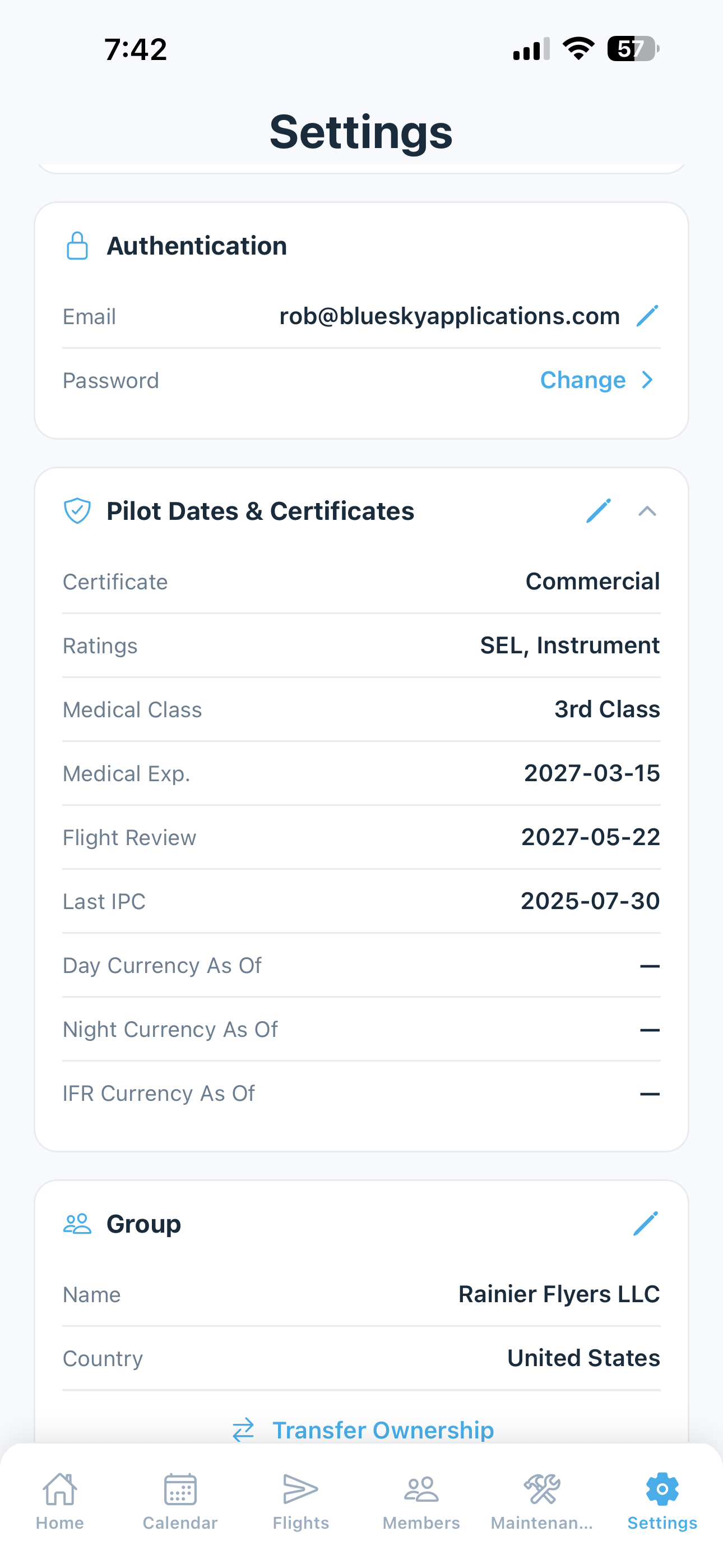
You can set and update all currency-related information from the Settings screen under Pilot Dates & Certificates. This includes:
- Certificate type and ratings
- Medical certificate expiration date
- Flight Review (BFR) date
- Instrument Proficiency Check (IPC) date (paid plans)
Any changes you make here are immediately reflected in your currency status on the home dashboard.
Asking AI About Currency
The AI Assistant can answer currency questions in plain language — “Am I current for night passenger carrying?”, “When does my medical expire?”, “How many day landings do I need to get current?” — and shows the underlying calculation alongside the answer.
Important: 5-by-5 currency calculations are approximate aids only. The pilot in command is solely responsible for ensuring compliance with all applicable regulations before every flight. Touch-and-go detection on ADS-B-prefilled flights is conservative; verify counts before treating them as authoritative.