Scheduling

A shared calendar your whole club will actually use.

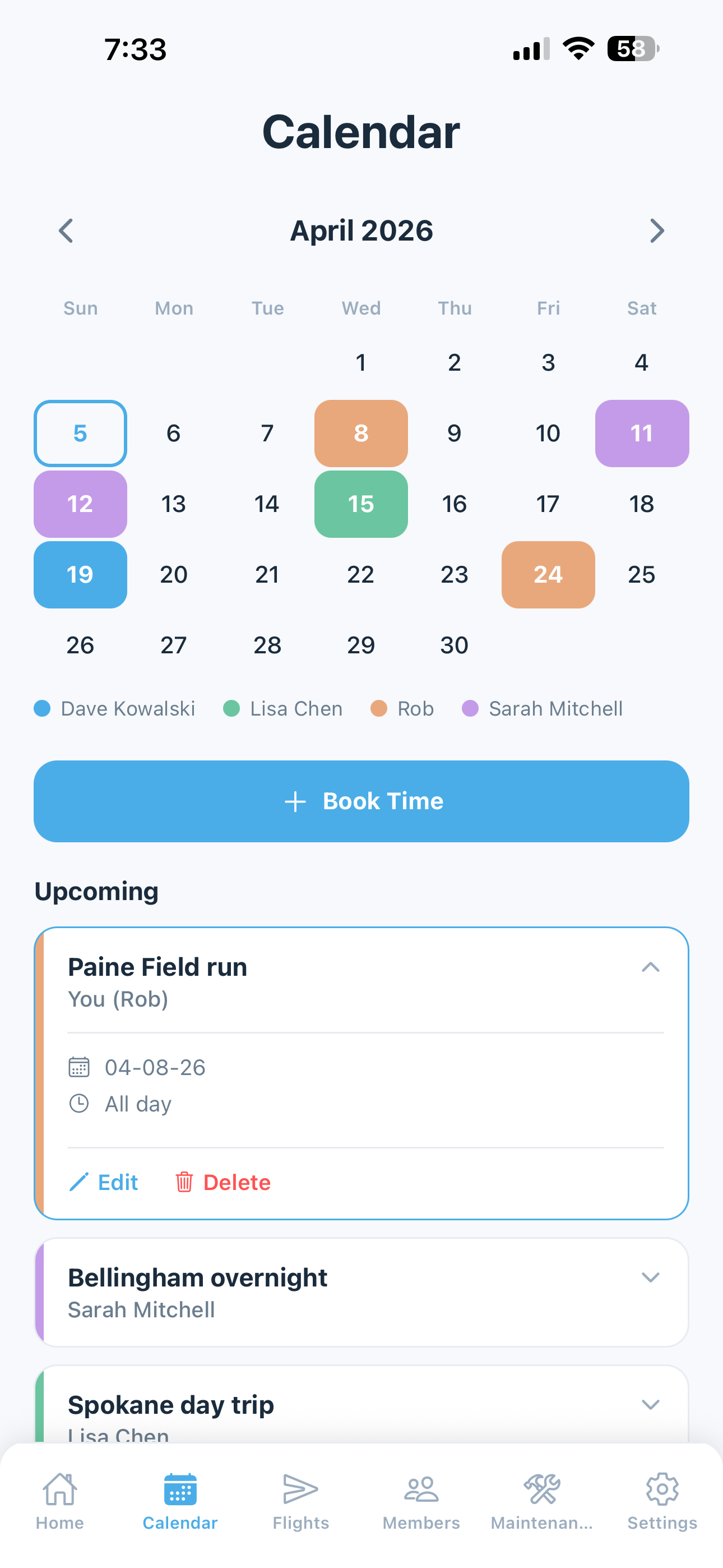
Book flights on a shared calendar with color-coded member slots. See who has the airplane at a glance. Sync bookings straight to Google Calendar or Outlook so scheduling fits into how everyone already works.

  • Monthly calendar with color-coded member bookings
  • Full-day or timed bookings with 15-minute intervals
  • Destination and route fields with airport database lookup
  • Convert bookings to logged flights with one tap
  • Google Calendar and Outlook sync
  • Real-time updates — everyone sees changes the moment they happen
Watch the Scheduling a Flight walkthrough
Reservation detail with booking time, destination, and member info
Flight Logging

Every flight logged. Continuity assured.

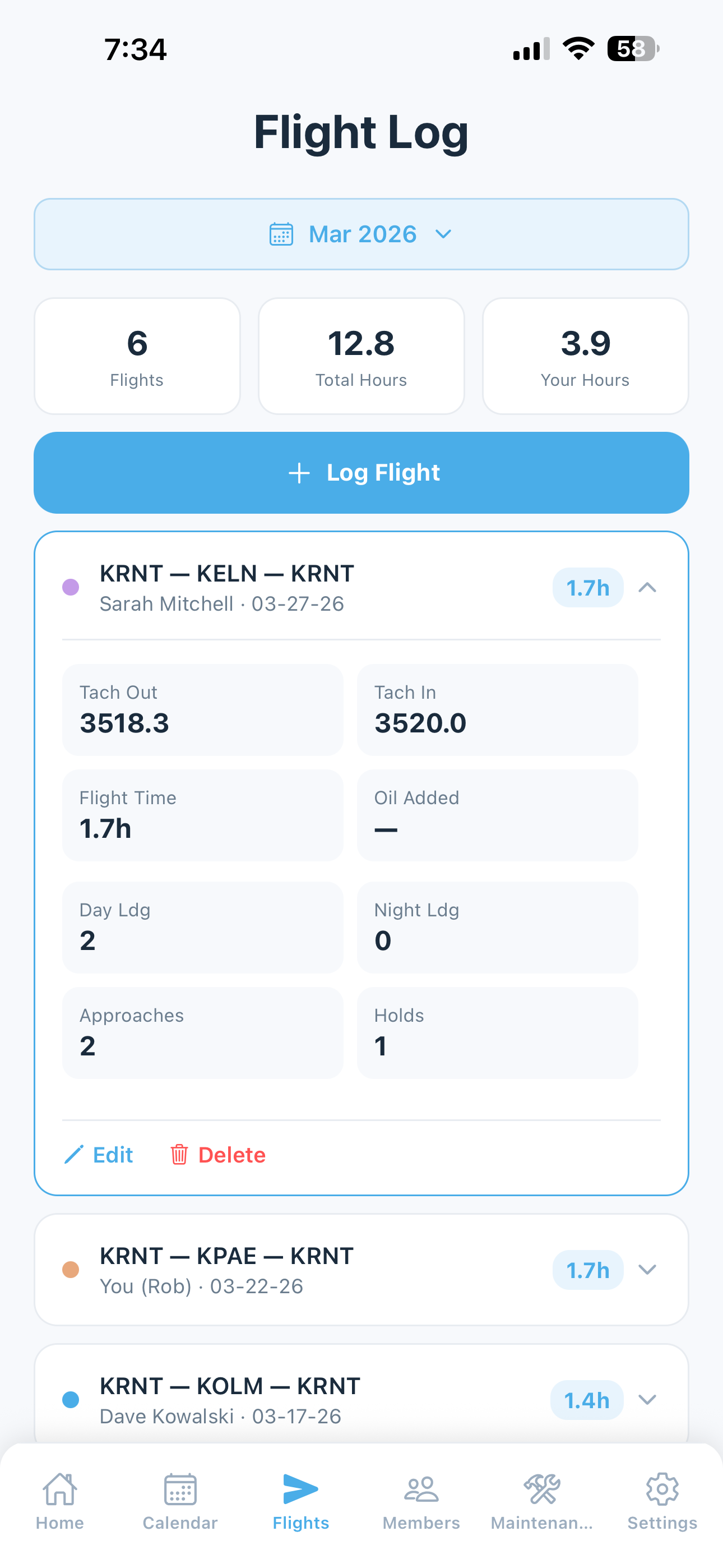
Each member logs their own flights with tach times, airports, routes, and landings. The tach cascade system keeps your aircraft's tach history perfectly continuous across all members — even when flights need to be inserted or corrected.

  • Per-member flight logging with individual stats
  • Auto-calculated flight time from tach in and out
  • Day and night landing counts for currency tracking
  • Instrument approaches and holds
  • Tach cascade — insert or correct flights without breaking shared continuity
  • Group-wide flight history with per-member filtering
  • YTD hours and costs on every member's home dashboard
  • Tag maintenance flights for sharing costs across the group
Watch the Logging Flights walkthrough
Flight detail with tach times, airports, and route data
Maintenance

One maintenance record. Visible to everyone.

Track all maintenance in a shared record that the whole club can see. Your A&P gets a dedicated mechanic view to update records directly — no coordination overhead, no phone tag, no transcription errors.

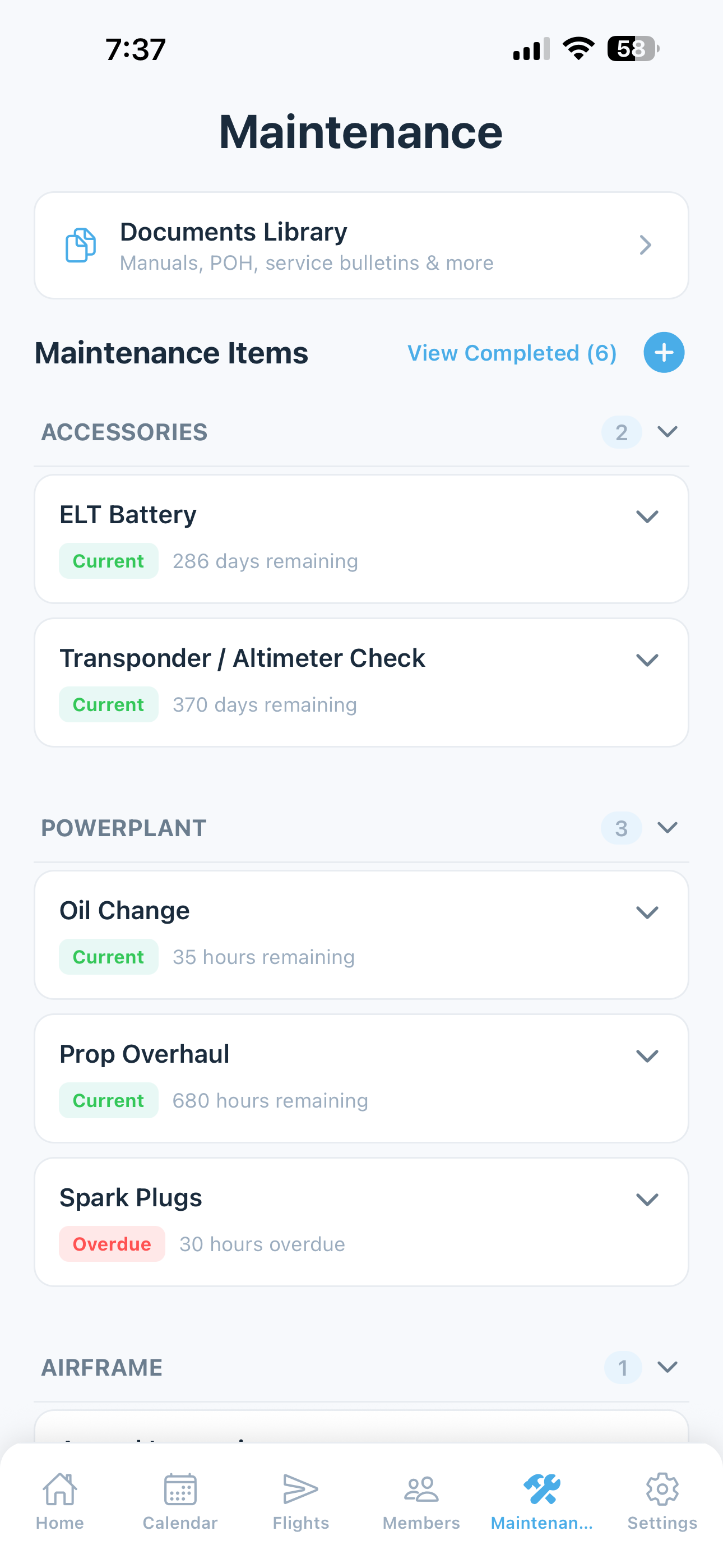
  • Annuals, 100-Hour, Oil Changes, ADs, Transponder, ELT, and more
  • Time-limited component tracking for life-limited parts
  • AD auto-import — fetch Airworthiness Directives with the push of a button
  • Oil analysis tracking with lab result history
  • A&P mechanic role with dedicated access to view and update records
  • Dashboard alerts visible to all members when items are due
  • Color-coded status: Current, Due Soon, Overdue
Watch the Maintenance Tracking walkthrough
Maintenance tracking with color-coded status for annuals, ADs, and inspections
Ask AI

Ask anything. Get answers from your own data.

5-by-5's AI assistant answers questions about your airplane using your actual flight records, maintenance, squawks, financials, and member info — plus any catalog manual you've bookmarked. Ask in plain English, by voice if you'd rather. And it doesn't just answer — it can book, move, or cancel reservations for you.

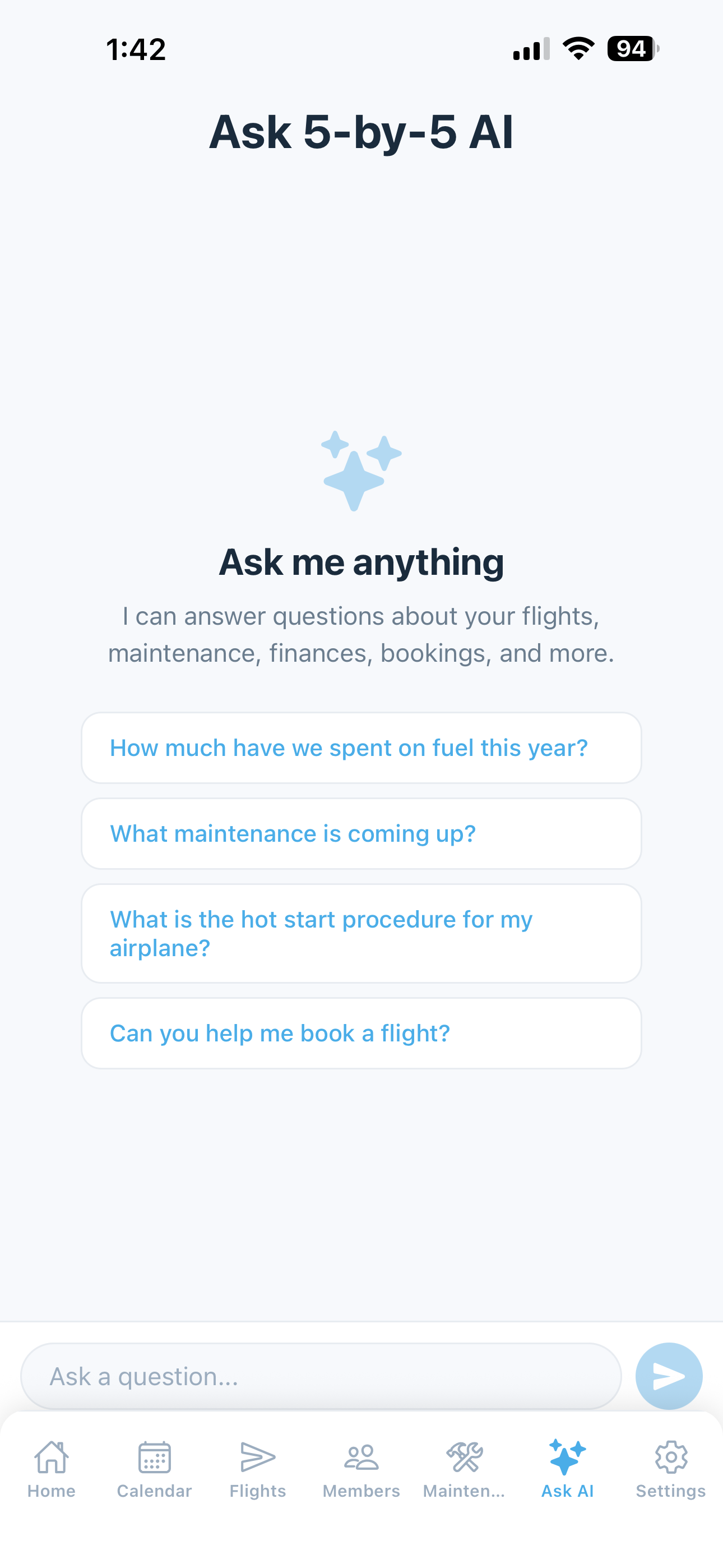
  • Plain-English questions answered from your real flight, maintenance, squawk, financial, and member data
  • Catalog manuals integrated — bookmark your airplane's POH and ask procedure questions
  • Voice input — speak instead of typing
  • Conversational booking — "book it Saturday 9 to 5 to Reno," and the AI confirms before saving
  • Move or cancel reservations the same way, with the same change preview
  • Conversation history so follow-ups like "what about last year?" just work
  • Included on all paid plans
Watch the AI Assistant walkthrough
Ask AI conversation screen with suggested prompts and natural-language input
Members & Roles

Everyone has a role. Not everyone needs the same access.

Manage your club's members with role-based access. Owners and admins run the show. Members log flights and report squawks. Mechanics get a tailored view of maintenance without access to anything else.

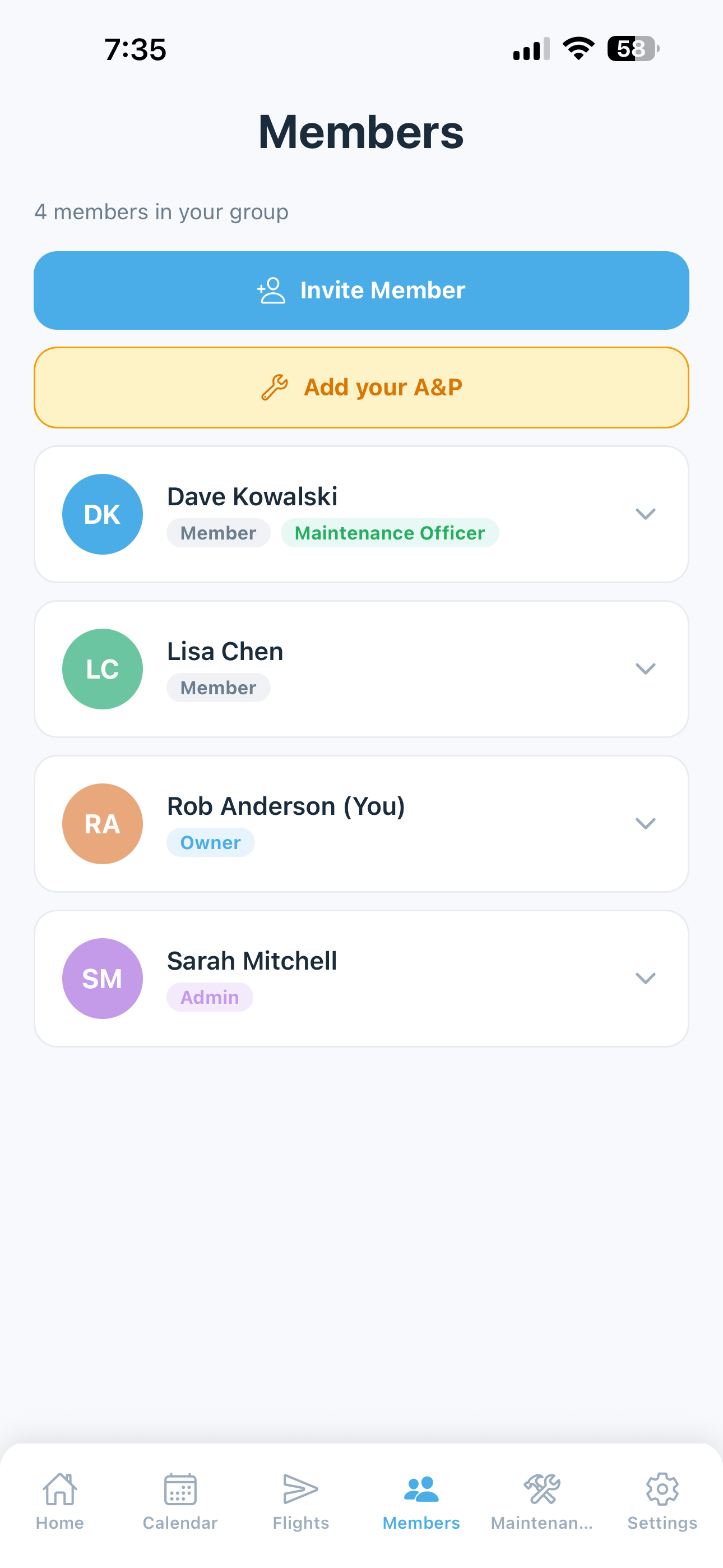
  • Four roles: Owner, Admin, Member, and Mechanic (A&P)
  • Role-based access scoped precisely to what each role needs
  • Member cards with photo, role, contact info, and YTD flight stats
  • Quick contact: call, text, or email directly from the app
  • Invite via link or code — no friction for new members
  • Ownership transfer for club leadership transitions
Watch the Members Tab walkthrough
Member roster with roles, contact info, and YTD flight stats
Billing & Cost Sharing

Split costs fairly. Without the math.

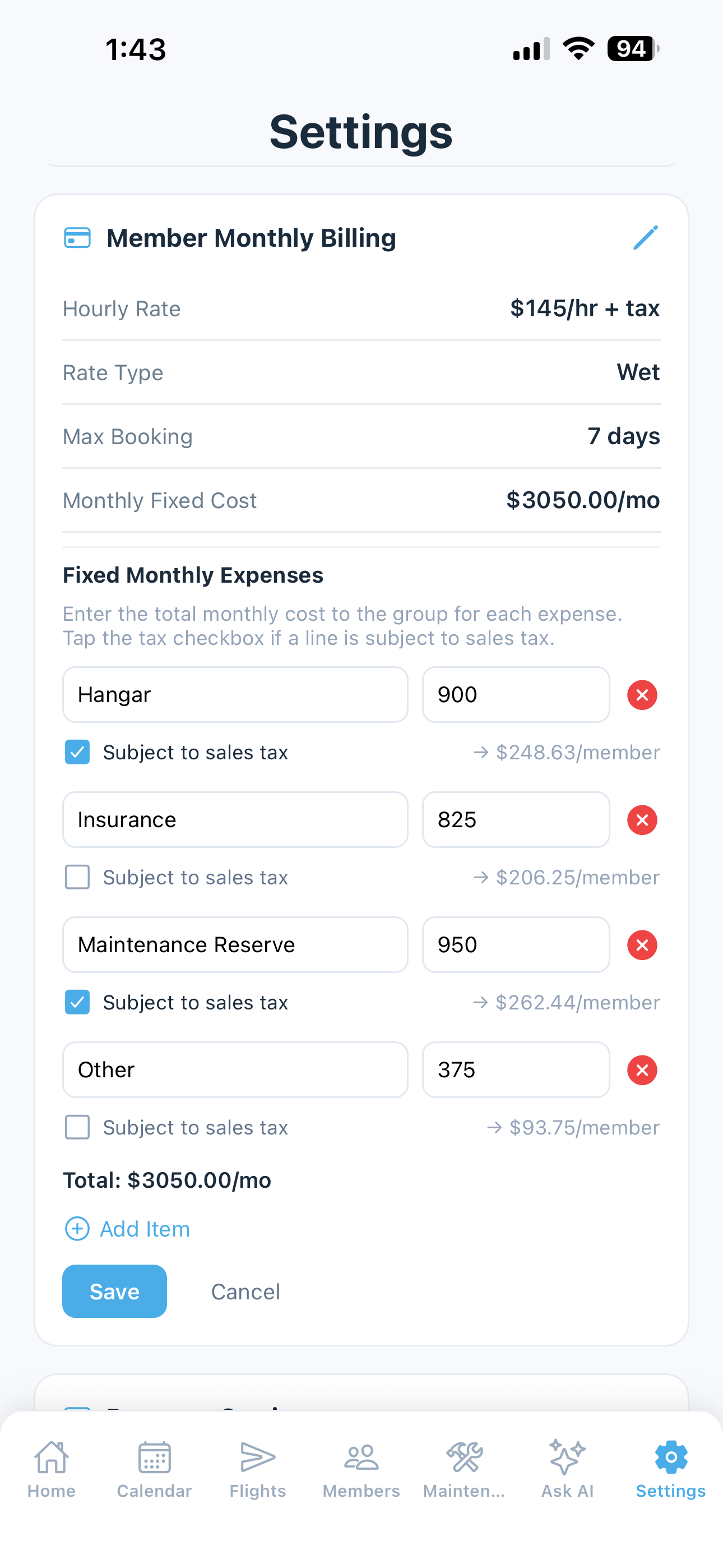
Track shared expenses, generate monthly bills, and keep everyone's accounts current. Link your club's bank account to sync transactions automatically — no more reconciling spreadsheets at the end of the month.

  • Per-member monthly billing based on flight hours
  • Shared expense tracking: fuel, maintenance, insurance, hangar, and more
  • Bank account sync with automatic transaction import
  • Billing history with payment status per member
  • Export financial data for your club's accounting or tax records
Watch the Web Dashboard — Billing & Payments walkthrough
Member Monthly Billing settings with hourly rate, fixed expenses breakdown, and per-member cost preview
Pilot Currency

Know if you're current. Before you book.

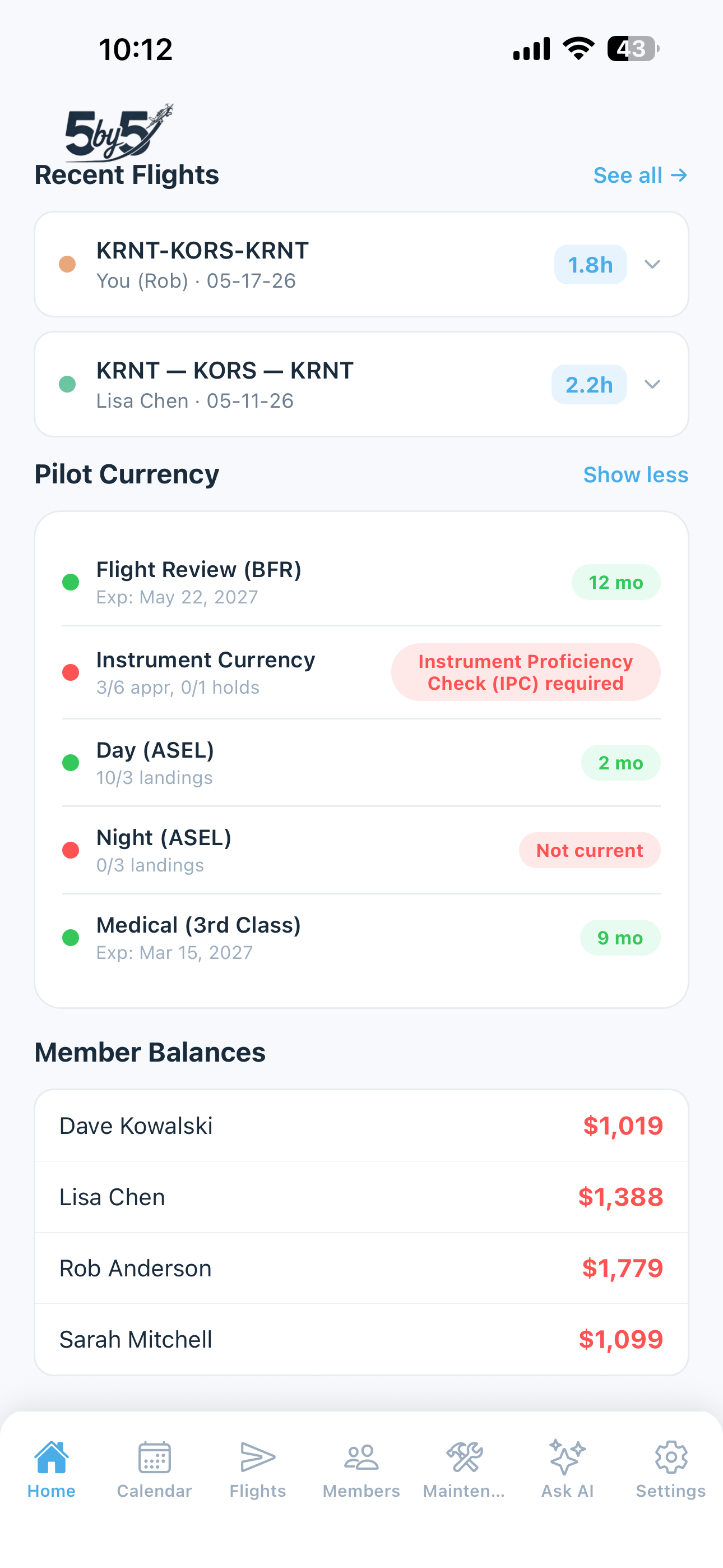
5-by-5 tracks each pilot's currency automatically from their logged flights, and every member sees their own status front and center on their home screen — landings, instrument, medical, flight review — so they know exactly where they stand before reserving the aircraft.

  • Day and night passenger-carrying currency calculated from logged landings
  • Instrument proficiency tracked with FAA grace periods
  • Medical certificate and flight review expiration tracking
  • Tailwheel currency for tailwheel aircraft
  • Color-coded status that surfaces what's expiring soon, not just what's expired
  • Visible to every pilot, every time they open the app — no chasing members for status
Watch the the Clubs overview walkthrough
Personal pilot currency tracking on the home screen — landings, instrument, medical, and flight review status
Squawk Reporting

Found something wrong? Everyone knows instantly.

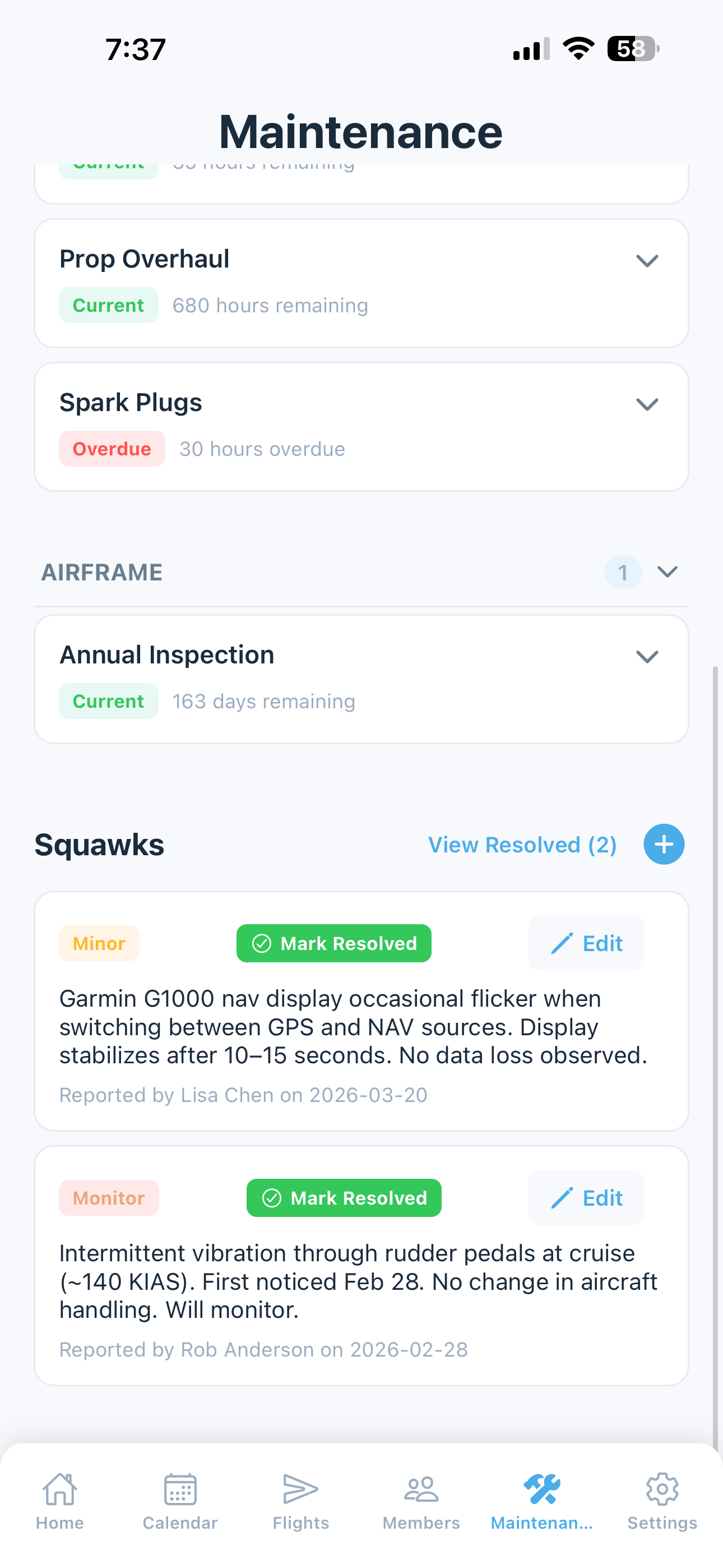
Report aircraft discrepancies with severity levels — Minor, Monitor, or Grounding. Grounding squawks trigger a bold red alert on every member's home screen so no one tries to schedule a broken airplane.

  • Three severity levels: Minor, Monitor, Grounding
  • Photo attachments to document the issue
  • Grounding banner visible to all members in real time
  • Full resolution tracking and history for your records
  • Report from within the flight log or as a standalone entry
Watch the Squawk Reporting walkthrough
Squawk reporting with severity levels and grounding alerts
Premium Feature

Go deeper with the web dashboard.

Included in paid Club plans, the web dashboard gives your group full-screen analytics, financial insights, maintenance trends, and FlightAware track data — all exportable for accounting, planning, or deeper analysis.

Flight Analytics

Group and per-member flight trends, full history, and FlightAware track data.

Financial Dashboard

Aircraft cashflow analysis, expense planning, bank sync, and billing history.

Maintenance Dashboard

Component history, oil analysis trends, and full AD compliance view.

Data Exports

Download any dataset as CSV for club accounting, tax records, or reporting.

Learn more about the Web Dashboard

Fair pricing for every group.

Priced per member so costs split the same way everything else does. Free for groups of two — upgrade when your club is ready for more.